
Read the document, not just route it
Invoices, forms, certificates and site reports carry the data your process needs. Extraction turns an attachment into fields a workflow can act on.

AI earns its place inside a process, not beside it. We add intelligence to the workflows you already run - reading the documents, triaging the requests and clearing the exceptions - so the benefit shows up in cycle time, not in a demo.
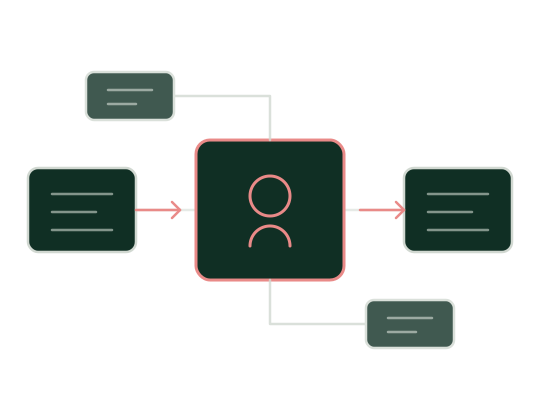
Invoices, forms, certificates and site reports carry the data your process needs. Extraction turns an attachment into fields a workflow can act on.

Classify, prioritise and route each request on arrival, so the right team picks it up first time instead of passing it along.

Most automation stalls on the small percentage that falls out. Models handle the judgement calls that used to need a person to re-key and re-check.

Approvals, confidence thresholds and a full audit trail stay in the workflow, so nobody has to take the model on trust.
Five patterns cover most of what we build. Each one sits inside a process you already own.
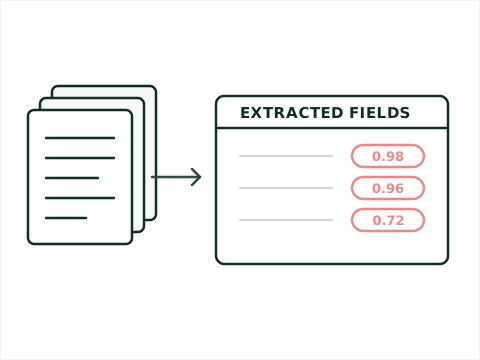
Capture, classify and extract from the paperwork that starts your processes - purchase orders, safety documentation, compliance certificates. We have worked with ABBYY for years and now pair it with Azure Document Intelligence where that fits better, feeding structured data straight into your workflow engine.
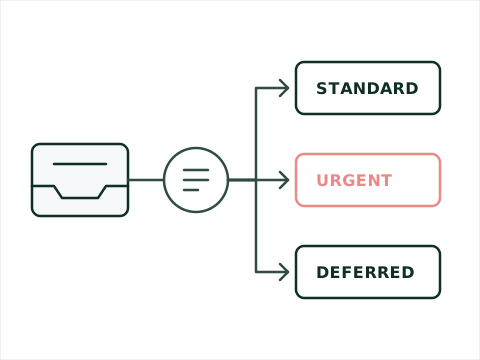
Incoming requests get read, categorised and sent to the right queue with the right priority. In a case-managed system this removes the triage step entirely, and it improves as the model sees more of your real traffic.
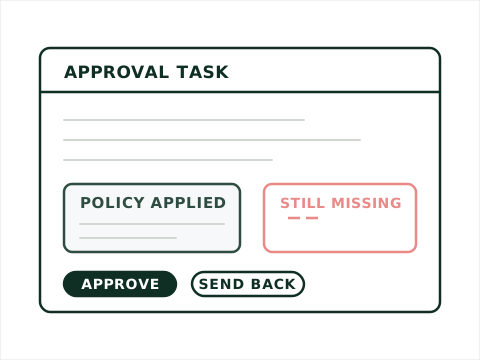
An approver opening a task sees a plain summary of the case, the policy that applies and what is missing - drawn from the attachments and history rather than from their own reading time. The decision stays with the person; the preparation does not.
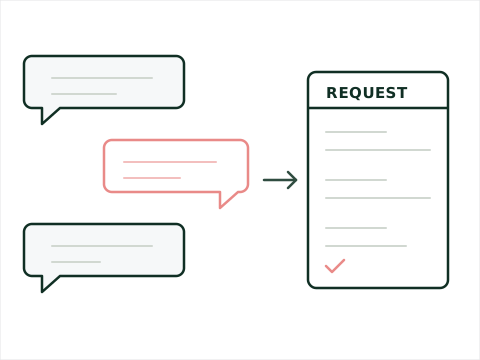
For processes where a form is the barrier, a guided conversation in Teams or on the web collects what is needed, validates as it goes and submits the same structured request your workflow already expects.
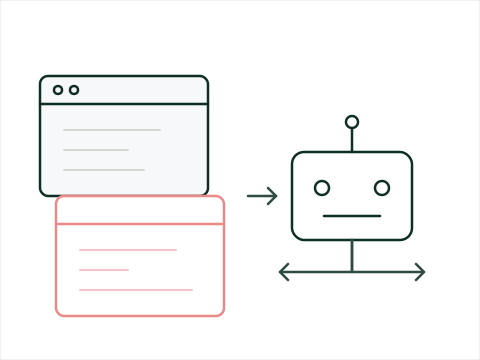
Attended and unattended robots that reason about what they find rather than breaking on the first unexpected screen. We build these where the process genuinely varies, and keep deterministic automation where it does not - that judgement is most of the value.
We look for volume, judgement and a measurable cost of delay. If a rules engine solves it, we say so - AI that is not needed is just expense and risk.
Four to six weeks, using your documents and your edge cases. Accuracy on a vendor demo tells you nothing about accuracy on your paperwork.
Confidence thresholds, fallback paths, human review points and the audit trail are designed up front, not retrofitted after the first bad output.
Delivered with your team alongside ours, with the evaluation set and monitoring you need to keep it honest once we step back.
Everything above this line is a claim. This part you can check. The site you are reading was rebuilt by us - React front end, .NET API, running on Azure - and it was run the way we run client engagements. The same board, the same pipeline, the same gate in front of production. It was AI-assisted throughout: extracting the old content, most of the code, the pipeline and the documentation.
One build produces the client and the API together. The same artifact is deployed to development, approved, and then promoted to production unchanged.
Nothing gets built because someone remembered it in a meeting. The change is written down first, and the commit that delivers it references the item, so in a year the code still carries the reason it exists.
The pipeline compiles the React client and the .NET API once and produces a single artifact. That artifact is deployed to development, and after approval the same artifact goes to production. Production is never rebuilt, so what was verified is exactly what ships.
The deployment to production waits on a manual approval. It is one click, and it means nothing reaches the live site because a merge happened to land on a Friday afternoon.
Development and production are separate applications with separate configuration. A test enquiry submitted on the development site cannot reach the real enquiries inbox - a small thing, and an embarrassing one to get wrong in front of a client.
The contact form sends through an application identity restricted to a single mailbox. Left at the default it could have sent as anyone in the tenant. Scoping it cost ten minutes and removed a whole category of incident.
Content extraction, most of the code, the pipeline and the documentation were AI-assisted. That is the argument for the discipline, not against it - a board, a gate and a review are what turn fast output into something an organisation can safely run.
This is not a standard we invented for our own website. It is how we set up an engagement: your board, your repository, your approval gate, and a handover that leaves your team able to change what we built without us. If it would help to see it rather than read about it, we will walk you through this pipeline and then through what yours would look like.
Book a discovery callMost AI projects stall on governance rather than capability. We deal with these in design, not after go-live.
Tenancy, residency and retention settled before a line of code - including what the model provider does and does not keep.
Per-transaction cost modelled during the proof of concept, so the business case survives contact with production volume.
An evaluation set drawn from your own cases, run against every model or prompt change, with drift visible before users find it.
Clear ownership of decisions the system makes, the records to evidence them, and a documented path to override.
Not necessarily. We regularly integrate cloud services with on-premises systems through modern service architecture, and where data cannot leave your environment we scope models that run inside it. The constraint shapes the design; it rarely rules out the project.
By not asking it to. Extraction and classification are grounded in your documents and scored for confidence, anything below the threshold routes to a person, and generated summaries cite the source they came from. The workflow, not the model, holds the decision.
The same stack we already deliver on - Nintex, K2, ABBYY, BluePrism, UiPath and Microsoft - plus Azure AI services and the major model providers. We choose per use case rather than standardising on one vendor.
That is the point of how we engage. Your people build alongside us, and you keep the evaluation set, the prompts, the monitoring and the documentation. The handover is the deliverable, not an afterthought.
Want to hear more about what we offer? We would love to hear from you.
View our Privacy Policy